> ## Documentation Index
> Fetch the complete documentation index at: https://grandcentral.backbase.io/llms.txt
> Use this file to discover all available pages before exploring further.
# View a pack's connectors
> Open a pack from the dashboard to see its connectors and which ones are deployed to your runtime.
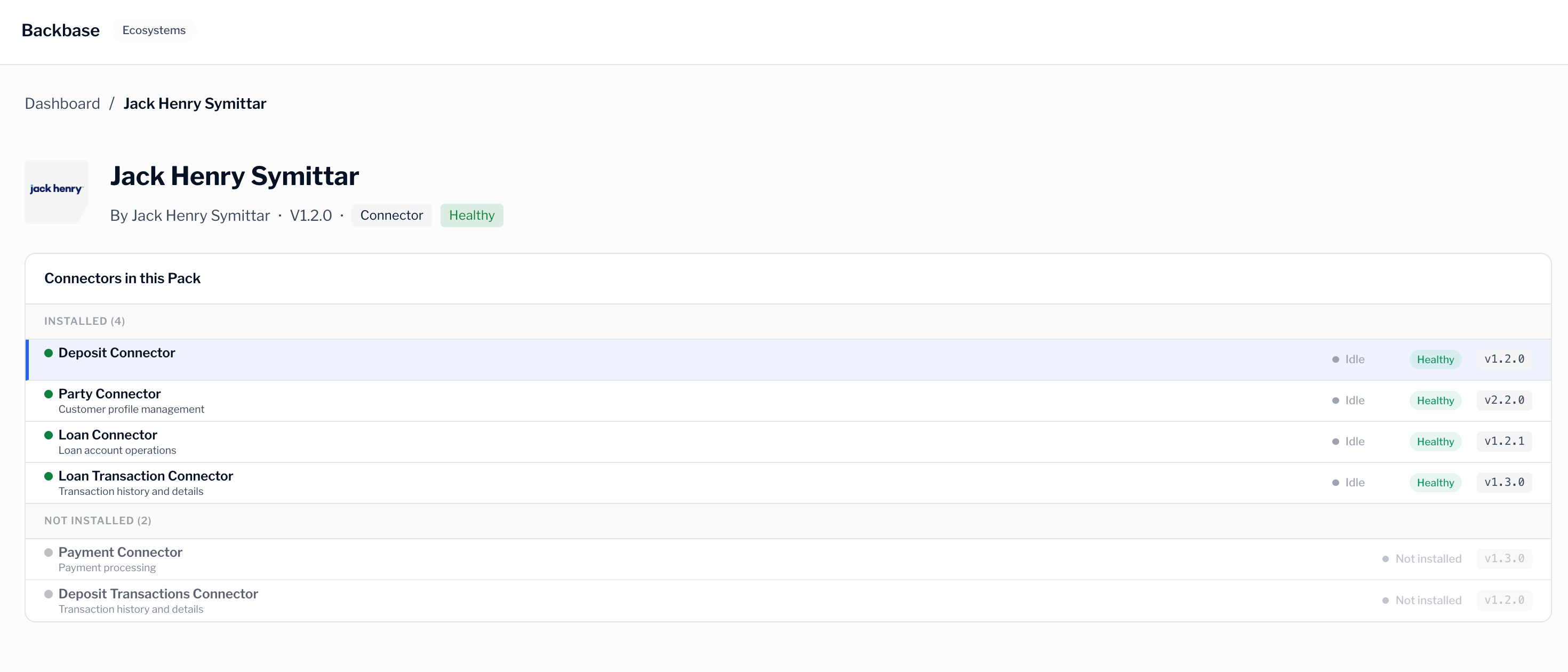
A connector pack is a group of connectors that run together. On the dashboard, you drill into a pack to see the connectors it contains and their status. Pack details are part of the dashboard, so you reach them by selecting a pack rather than from a separate menu.
## What a pack contains
Each pack bundles one or more connectors, along with the version and details you need to identify it. In the console, a pack shows:
* The connectors it includes.
* How many of those connectors are deployed to your runtime, shown as a count such as `Deployed 3/4`.
* The health of each deployed connector.
For more information about health statuses, see [Connector health and metrics](/grand-central-app/connector-health).
## Open a pack
The dashboard lists the packs deployed to your selected runtime. To see the connectors inside a pack, select the pack. The pack details view shows every connector in the pack and whether it's deployed.
A pack can include connectors that aren't deployed to your runtime. This lets you see the full scope of a pack while still knowing what's active in your environment.
To investigate a single connector, select it from the pack details view. For more information, see [Connector health and metrics](/grand-central-app/connector-health).
## Deployed compared with available
It helps to keep two ideas separate:
* Deployed packs run in your runtime now. You find these on the dashboard.
* Available packs are the packs you can explore in the marketplace, whether or not they run in your runtime.
To browse everything available for your installation, see [Browse the marketplace](/grand-central-app/marketplace).
Creating, versioning, and releasing packs is handled by a **GC Admin**. As an **Admin** or **Viewer**, you monitor the packs deployed to your runtime rather than build them.
## Next steps
Explore the packs available for your installation.
Return to the dashboard to check deployed packs.