> ## Documentation Index
> Fetch the complete documentation index at: https://grandcentral.backbase.io/llms.txt
> Use this file to discover all available pages before exploring further.
# Request Template Connector API
> Execute requests to pre-deployed Template Connector API
## Overview
In this exercise, you will learn how to call a **Grand Central (GC)** connector. You will call a already deployed [Template Connector](https://github.com/bb-ecos-core/grandcentral-connector-template) called **Health connector**.
The [Grand Central Generic API](https://github.com/bb-ecos-core/grandcentral-generic-api) called Health API is already deployed automatically to all Grand Central iPaaS installations and contains a simple endpoint **getVersion** that returns its version.
## Key learning outcomes
* How to obtain an API endpoint.
* How to obtain an API subscription key.
* Execute a cURL request against APIM, verify the output.
***
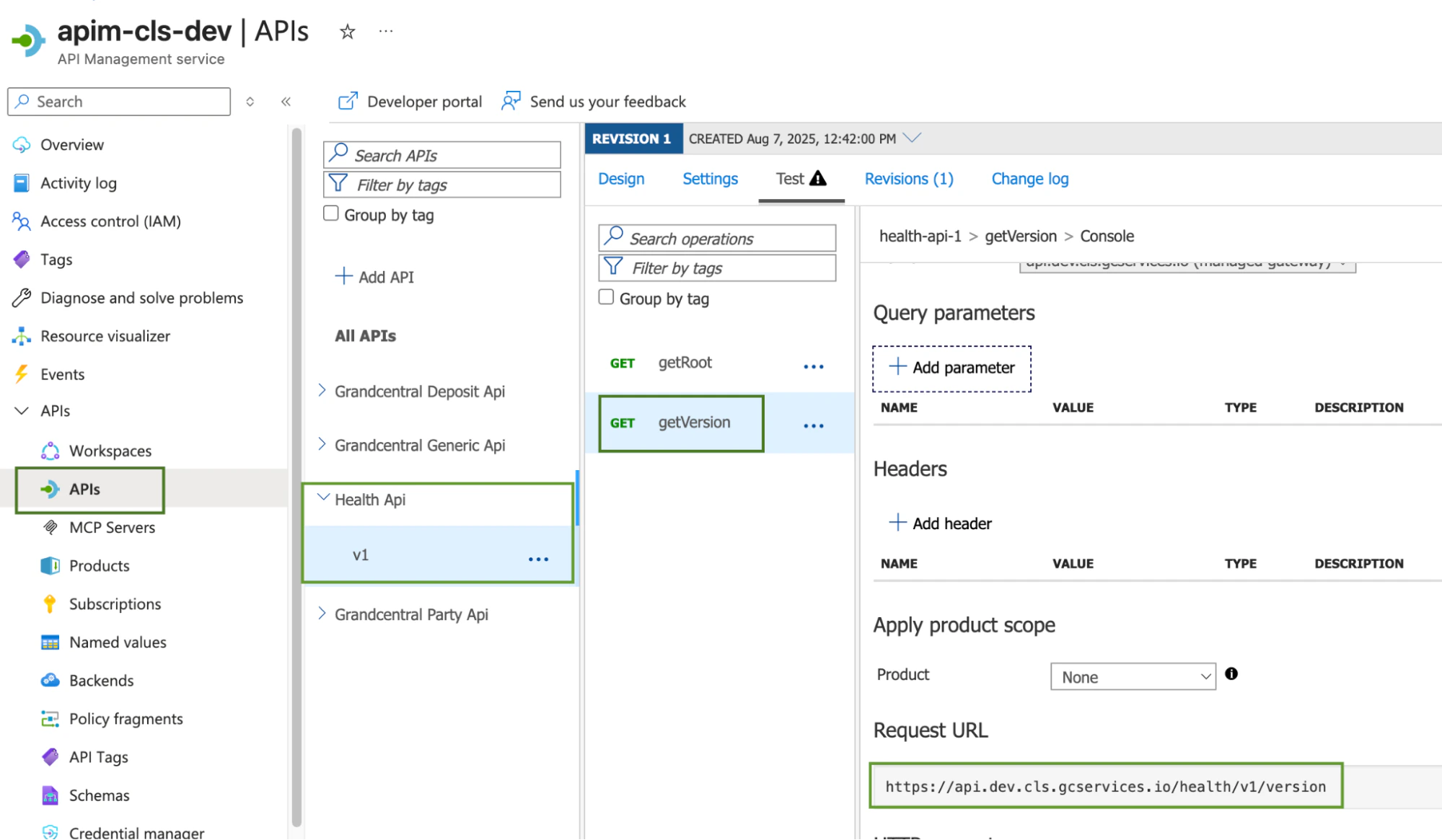
## Obtain the Connector API URL
To retrieve the connector URL from the APIM resource on the Azure portal the role `dev-apim-ro`
should be assigned in [self-service](/agentic-ai/getting-started/self-service) in order to have access
to Azure APIM pages.
Follow the path in Azure APIM Portal:
`APIs -> Health Api -> v1 -> getVersion -> Request URL field`
> This is applicable for all connectors, each API deployed is available on this Azure resource.
The API Request URL pattern is:
```
https://api.${runtime}.${installation}.gcservices.io/${api-spec-endpoint}
```
***
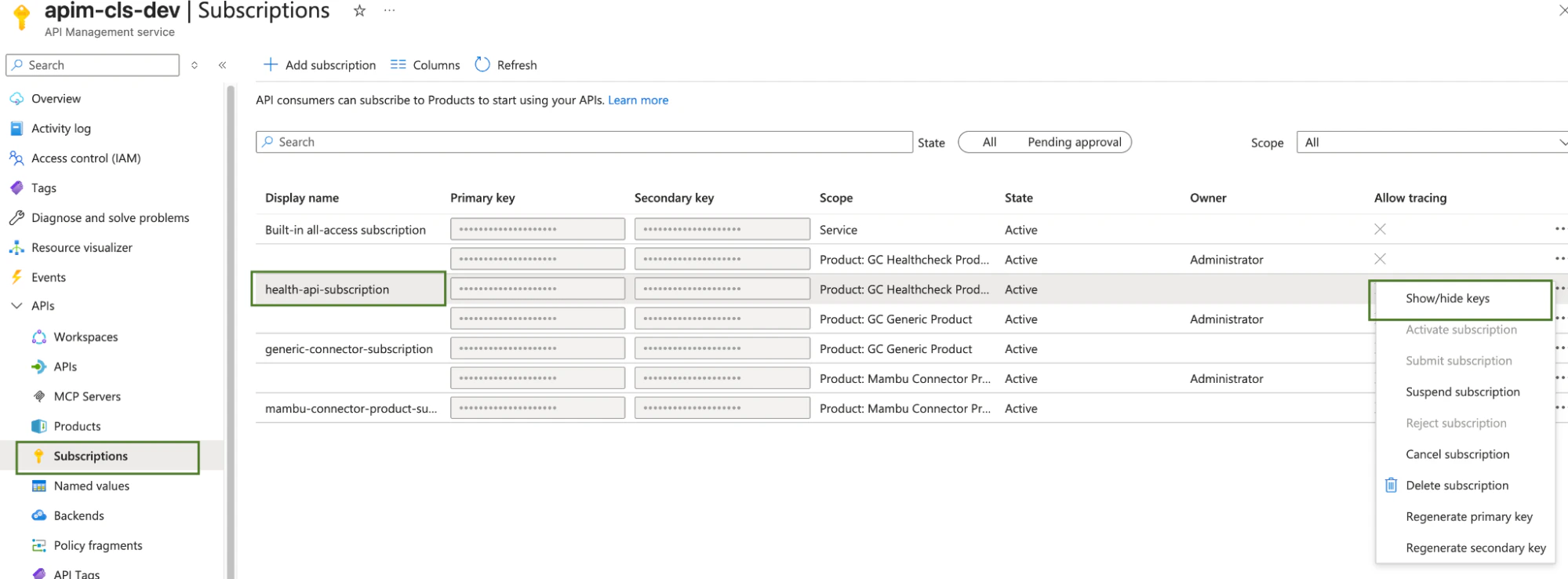
## Obtain APIM Product Subscription Key
The APIM Product Subscription key can also be obtained from the Azure Portal under the *Subscription* tab.
To obtain the Grand Central Generic API subscription follow the below steps highlighted in the image below.
The primary key will be the value used in the connector call below.
***
## Calling the Connector
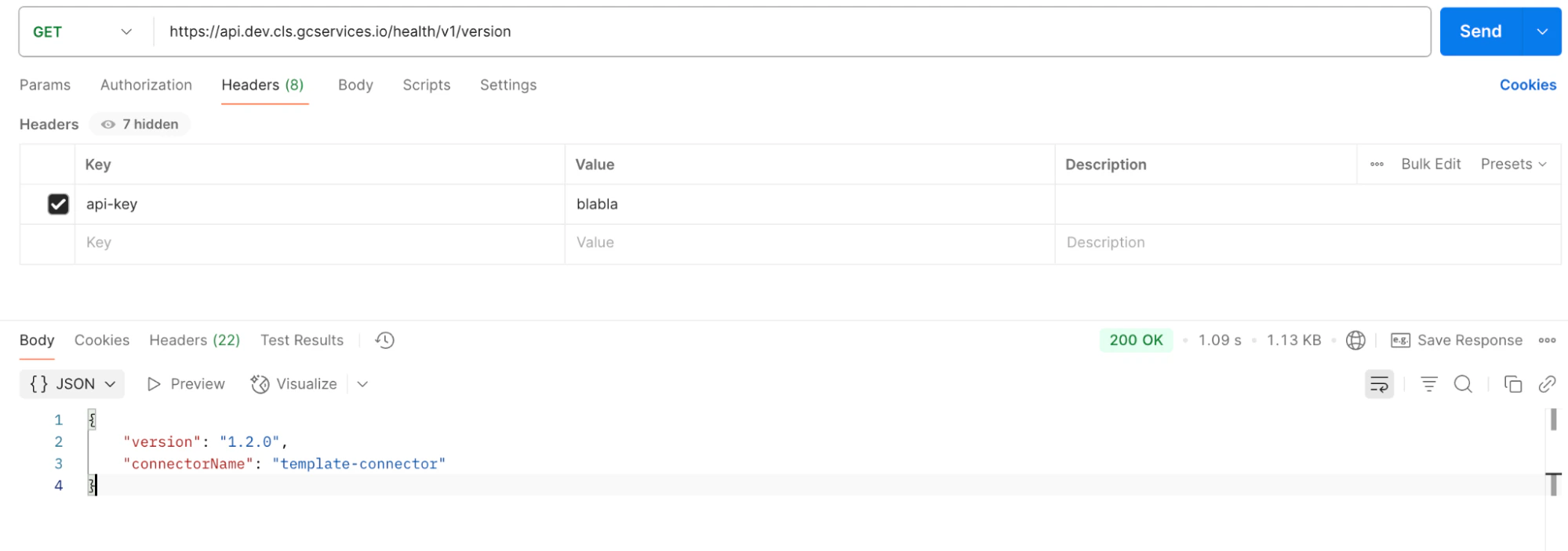
Now you have retrieved the connector URL and the subscription key from the above steps. It’s now time to call the connector by executing an HTTP `GET` request.
> **Ensure you are on the Backbase VPN and are routing the request through the Backbase proxy.**
Every request to the APIM needs an `Api-Key` request header for routing and authorization.
This header should contain the subscription key value.
**Ensure the `Api-Key` header value matches the primary key value from the preceding step.**
### Example request
```http theme={"system"}
GET https://api.dev.ecos.gcservices.io/version
Api-Key:
```
***