

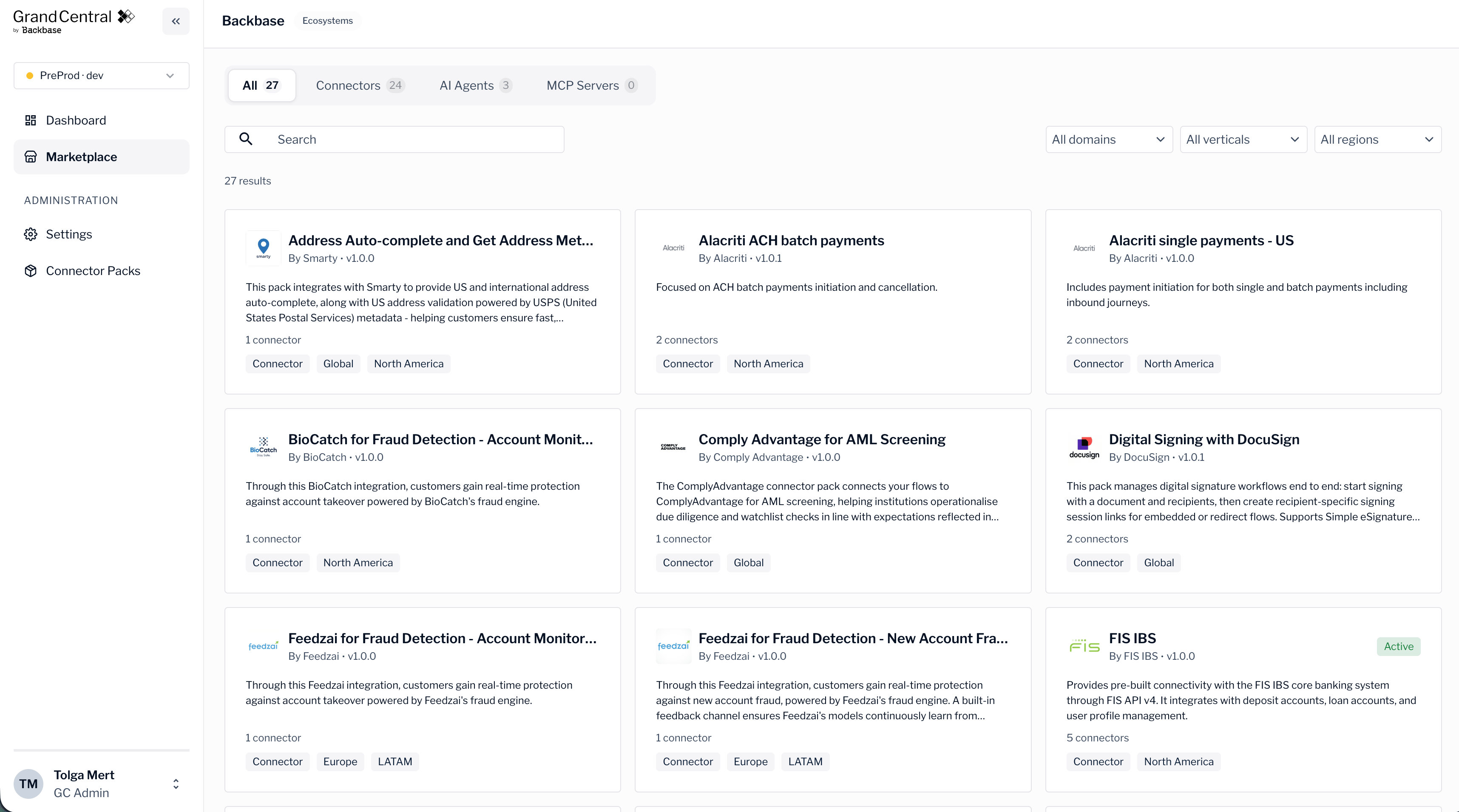
Browse packs
Open Marketplace from the console to see the available packs. Each pack appears as a card with its name and a short summary. To find a specific pack, use the search and filters at the top of the page. The marketplace also lists other item types alongside connector packs, such as AI agents and MCP (Model Context Protocol) servers, so you can see the full range of what’s available.View pack details
To see everything about a pack, select its card. The pack details page describes what the pack includes and how it works. For an MCP server, the details page organizes the information into sections such as Available tools, Available prompts, and How to configure.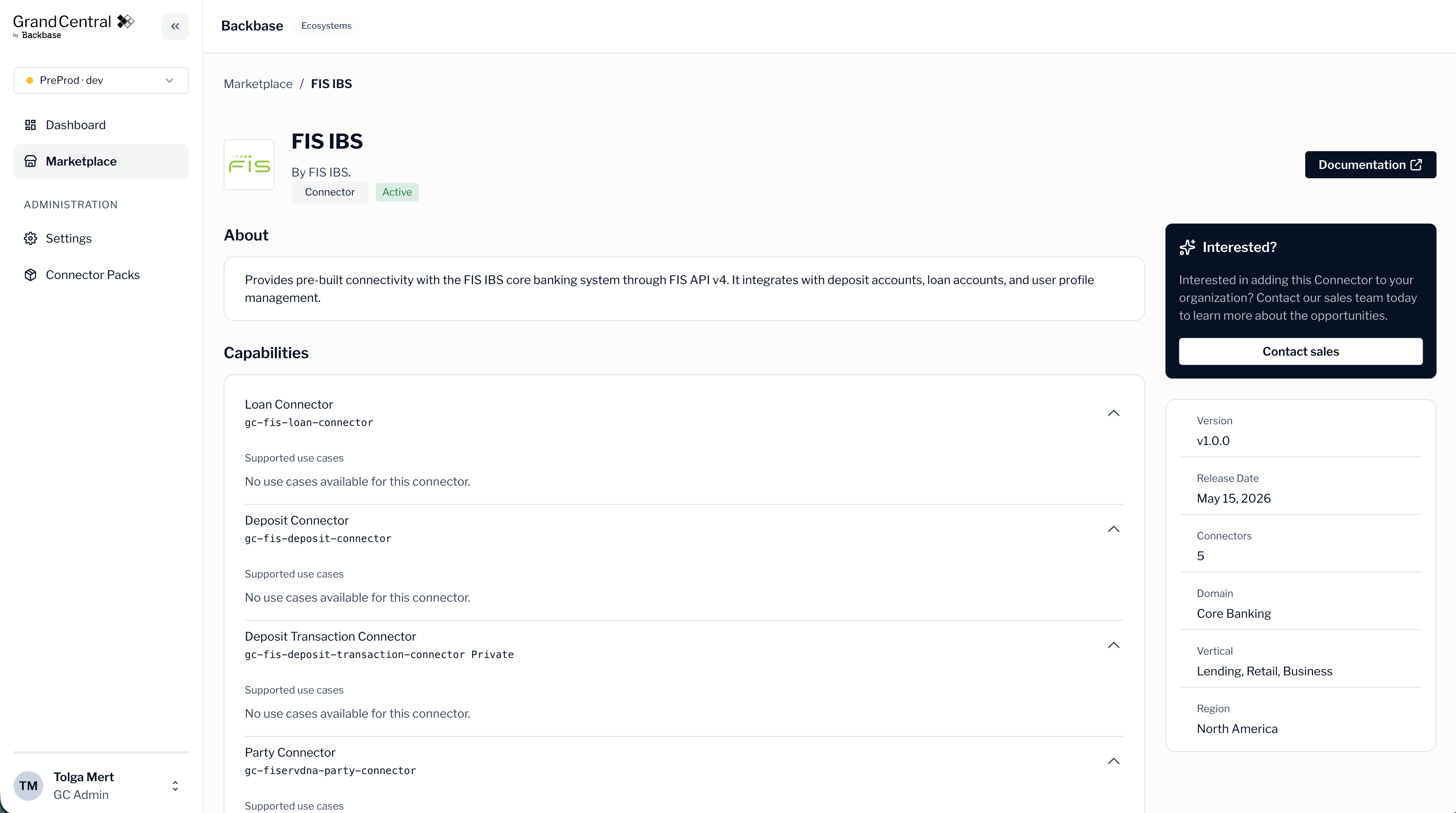
Items marked Coming soon
Some items in the marketplace carry a Coming soon label. These items aren’t available to deploy yet, but you can review their details to see what’s planned. An item without the Coming soon label is available to work with.The marketplace shows what’s available for your installation. To see which packs are running in your runtime now, check the dashboard. For more information, see Monitor your integrations.
Next steps
Connector packs
Learn how packs group connectors together.
Monitor your integrations
See which packs are deployed to your runtime.